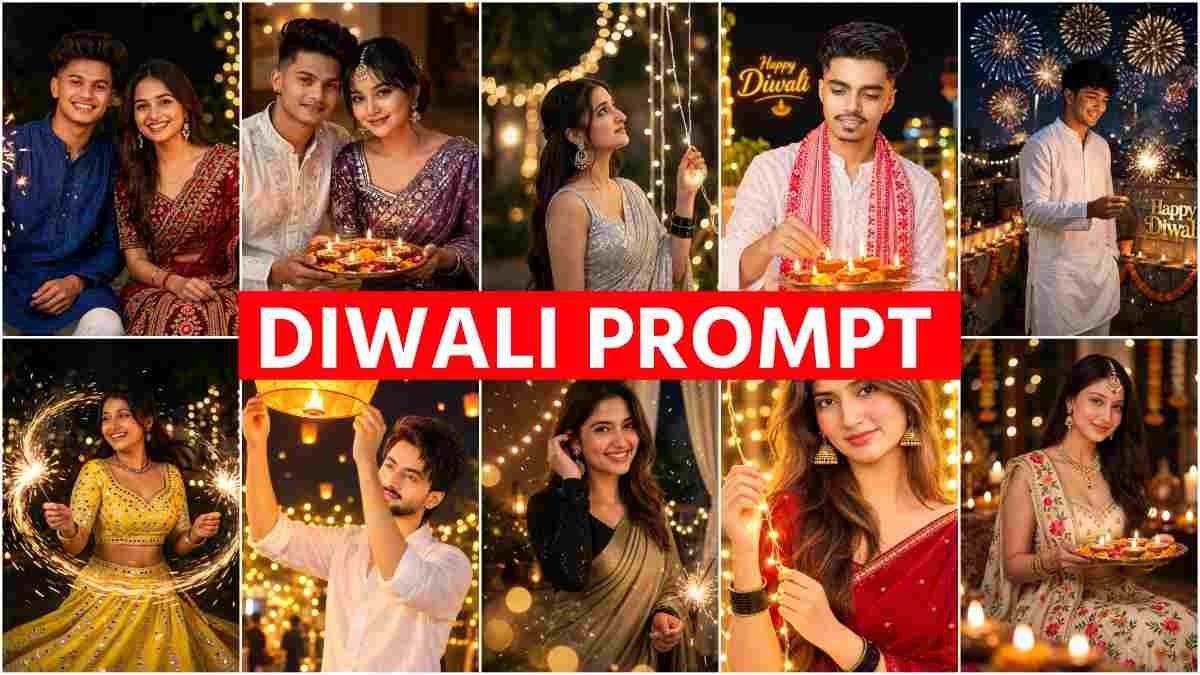
In today article, I have brought many prompts for you. If you make a photo using them in Diwali, your photo will look very different. People have so many thoughts and ideas about this prompt. Everyone thinks that after editing the photo with a prompt, the face will change. Many people also think that if I make a photo with AI, maybe my photo will go viral. People also think that half the people do not know what a prompt is. So the answer to everything is in today article.
What Is a Diwali AI Photo Editing Prompt?
Diwali Photo Editing Prompt is a written command given to AI. Suppose you write, Make my photo in Diwali look. There will be a lamp in hand, and a light garland behind. AI understands the word and makes the photo again. This written command is called a prompt. Before this work, we had to open the app and set layers. Layer means one picture layer on top of another. Now those are not needed. Only a good photo and a proper prompt are needed. Diwali photo editing usually means this. Adding lamps, light, festival clothes, and environment to your photo.
Why Are People Editing Their Diwali Photos with AI?
Now there is no need to sit for hours and do manual editing. AI has come. As soon as you give a prompt, it makes a photo matching your face. So everyone is editing with AI, and the photos are going viral. Let me tell you my own experience. Two or three years ago we used to edit manually in Picsart. At that time, if we did not know editing, we could not make photos at all. In my view, at that time twenty people out of every hundred used to edit. Now about ninety-five people out of a hundred are doing it. The work has become as easy as one click. I feel good seeing this.
How to Choose the Right Photo for AI Editing
The result of AI editing depends a lot on your photo. So remember a few things when choosing a photo.
- Take a picture where the face is seen clearly.
- The light must be good. Pictures taken in daylight work well.
- Take pictures taken from the front. If the face is too crooked, AI has trouble understanding.
- Do not give blurry pictures. The resolution of the picture needs to be good. Resolution means how clear the picture is and not broken.
- Avoid pictures where the face is covered with glasses or a cap.
Copy-Paste Diwali Photo Prompts for Boys
I have given all the prompts for boys below. Copy your favorite prompt. Then paste it with the photo in the AI app and send it.
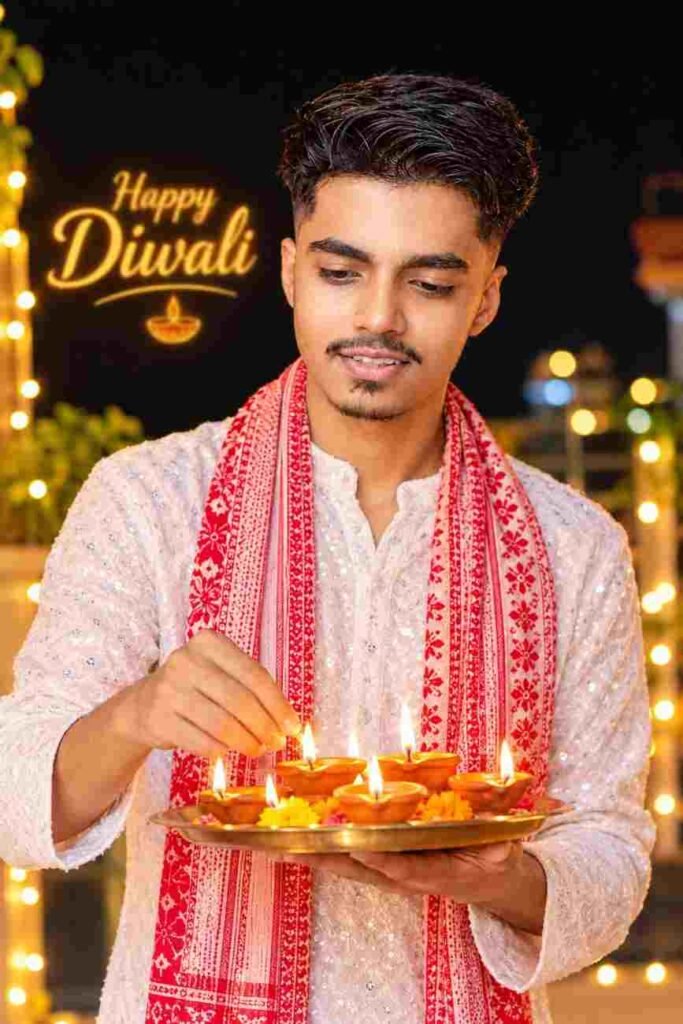
Create a photorealistic festive portrait of a young Indian man with dark styled hair and a light beard, holding a brass thali filled with glowing clay diyas. Dress him in a white embroidered kurta with subtle sequins and a red-and-white patterned scarf. Show him gently adjusting a diya flame while looking down with a soft smile. Add a dark, blurred nighttime background with warm golden fairy lights and dreamy bokeh. Cinematic lighting, realistic skin texture, rich festive atmosphere, professional DSLR photography, ultra-detailed.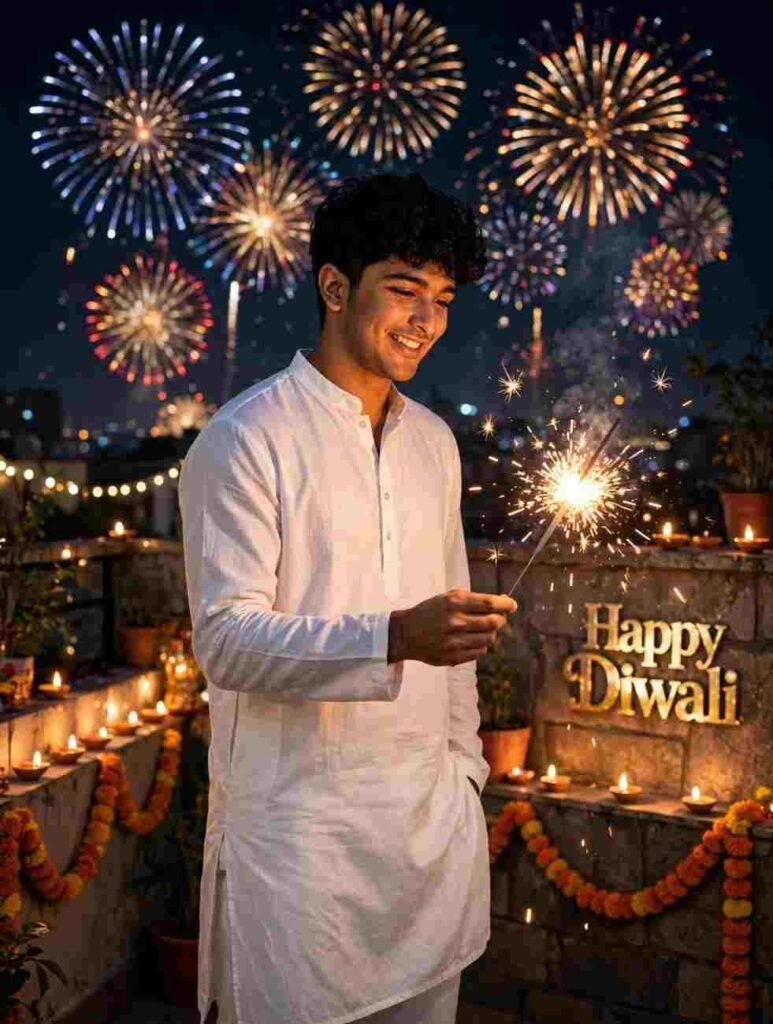
Create an ultra-realistic 4K cinematic portrait of the young man from the reference photo, preserving his exact facial identity, original hairstyle, and natural skin tone. He is standing on a rooftop during Diwali night, wearing a simple white kurta. One hand holds a glowing phuljhadi while he looks at it with a joyful smile, and the other rests inside his pajama pocket. Add colorful fireworks in the night sky, glowing diyas along the rooftop wall, and beautiful metallic golden “HAPPY DIWALI” text in the background. Warm festive lighting, realistic details, cinematic atmosphere, professional DSLR photography. No face or hairstyle changes.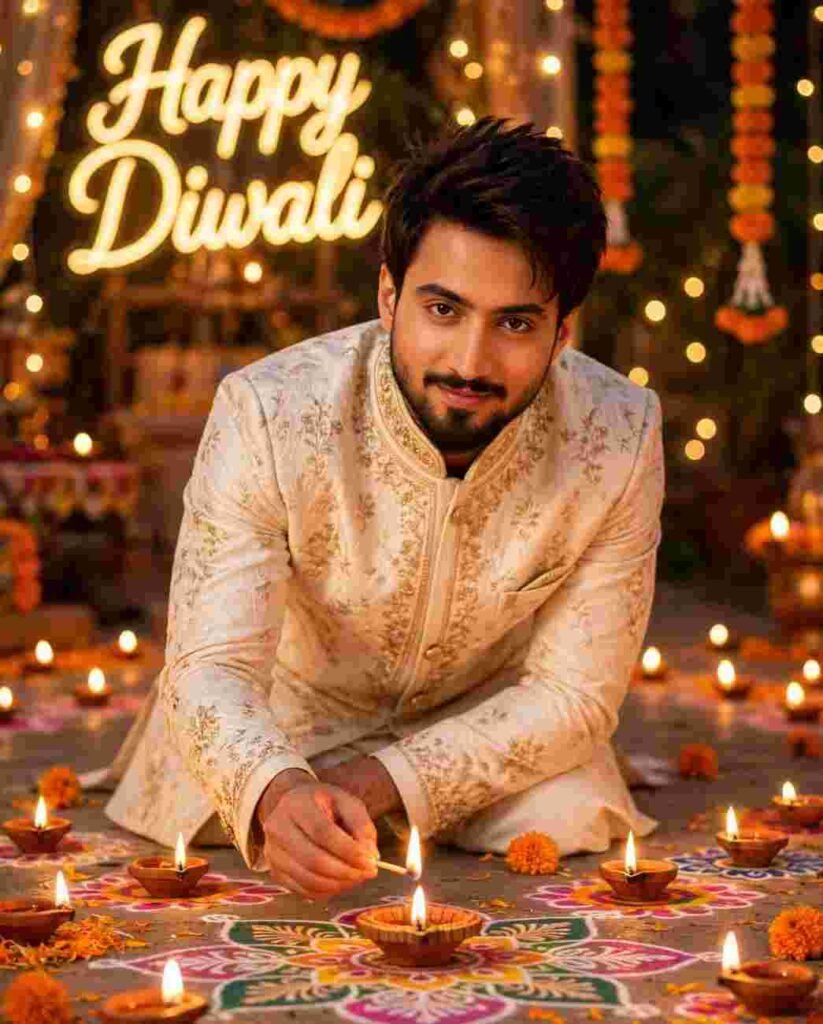
Create a hyper-realistic cinematic portrait of a young Indian man, preserving the exact facial identity and features from the reference photo. Dress him in an elegant traditional sherwani, gracefully bending down to light a diya while looking at the camera with a gentle smile. Surround him with glowing diyas and beautiful colorful rangoli patterns. Add a softly blurred festive background with glowing golden “Happy Diwali” text, warm amber lighting, dreamy bokeh, and a magical festive atmosphere. Ultra-detailed, photorealistic, professional DSLR photography.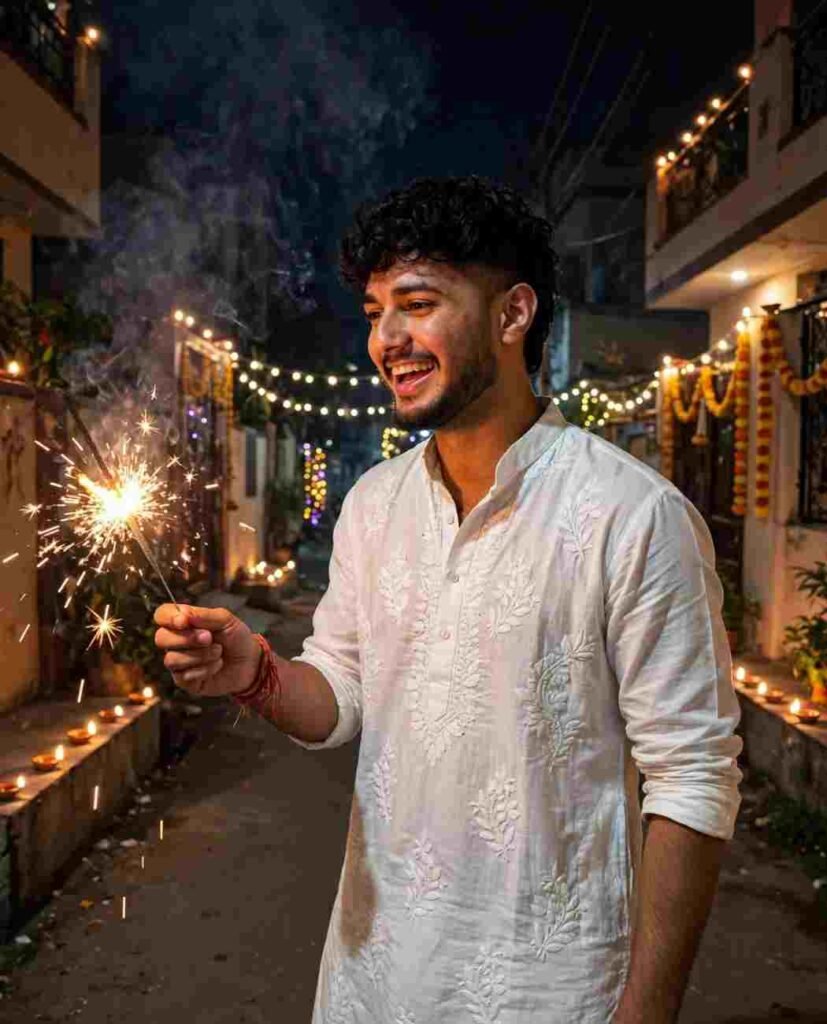
Transform the uploaded photo into a candid Diwali street-night portrait, preserving the exact face, identity, natural features, and skin tone. Dress the subject in a white chikankari kurta with rolled sleeves, laughing naturally while lighting a glowing phuljhadi (sparkler). Add a festive residential lane decorated with diyas and fairy lights, drifting smoke, and sparkling light trails. Warm cinematic lighting, natural phone-camera photography, realistic details, candid festive atmosphere. No facial changes or beauty filters.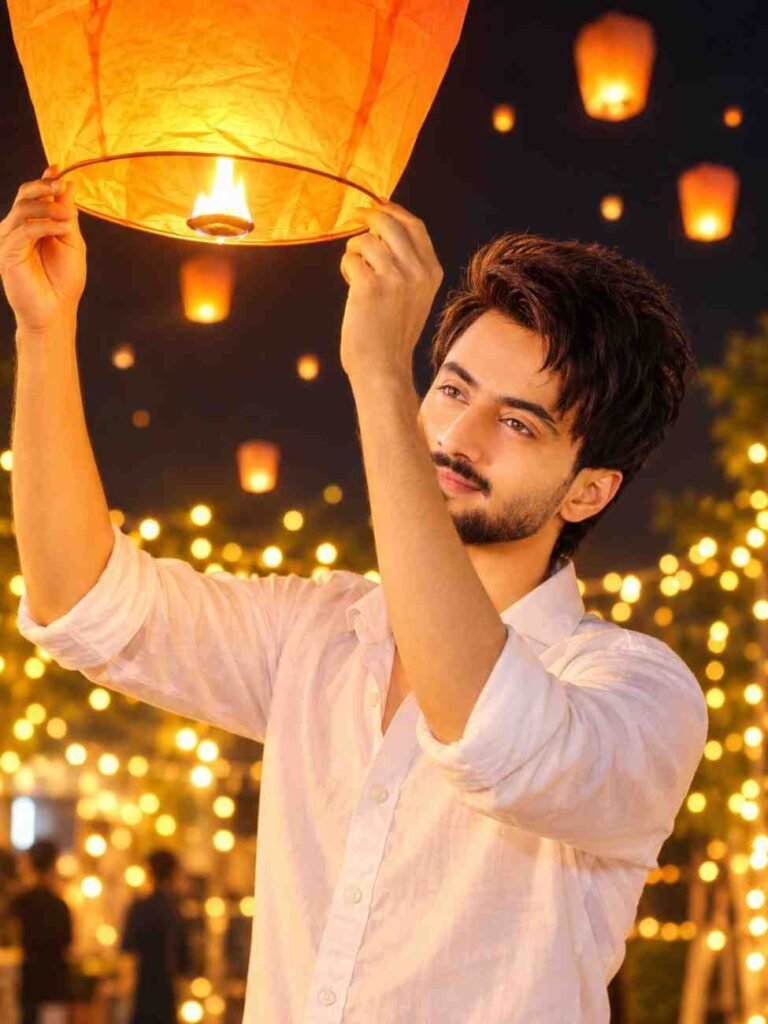
Transform the uploaded photo into a photorealistic cinematic night portrait, preserving the exact face, identity, skin tone, and body proportions. Dress the subject in a simple white button-up shirt with rolled sleeves, smiling naturally while holding a large glowing orange sky lantern above the head with both hands and looking up at it. Add a dark night sky, distant floating lanterns, hundreds of warm golden fairy lights, dreamy bokeh, and soft atmospheric haze. Warm amber lighting, realistic shadows, cinematic glow, natural skin texture, DSLR photography, shallow depth of field, highly detailed, vertical 3:4 composition. No face changes, text, or watermark.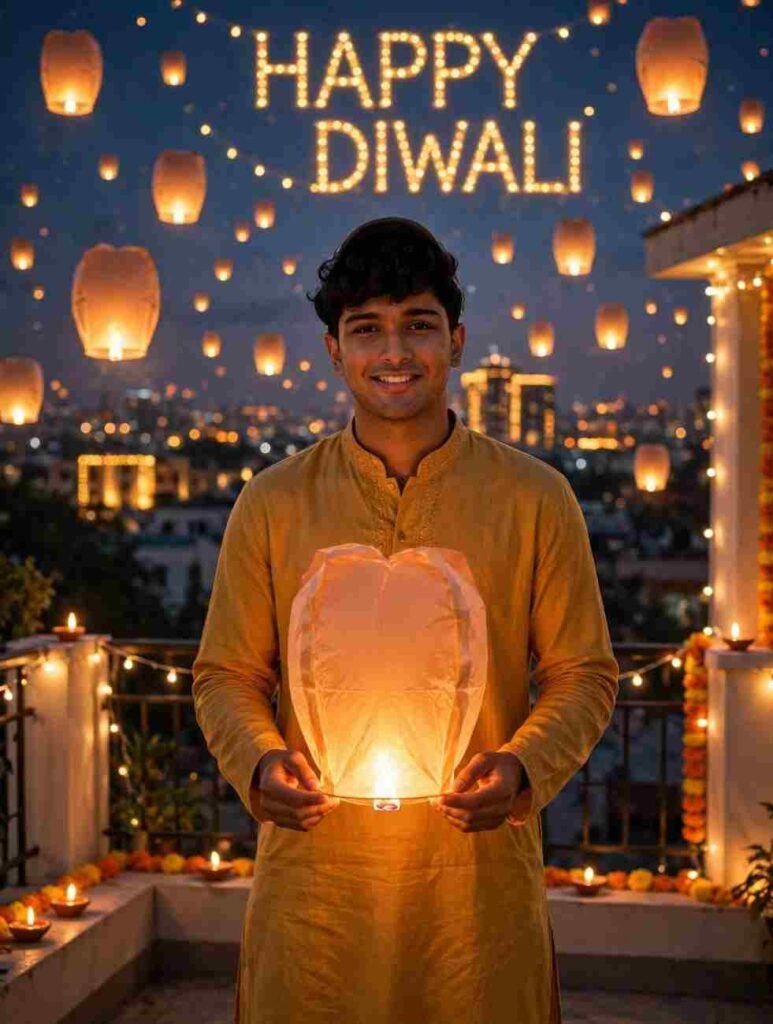
Use the uploaded photo as reference, preserving the face 100% identical with natural skin tone and original features. Create a photorealistic cinematic portrait of a young man standing on a rooftop during Diwali, wearing a mustard-yellow kurta and holding a glowing sky lantern. The sky is filled with floating lanterns and illuminated golden “HAPPY DIWALI” text. Decorate the rooftop with warm fairy lights, with a softly blurred city skyline in the background. Warm golden lighting, festive atmosphere, dreamy cinematic look, soft depth of field, ultra-detailed professional photography. Do not alter, beautify, or reshape the face.Diwali Photo Editing Prompts for Girls
I have given all the prompts for girls below. Copy your favorite prompt. Paste it with your photo in the AI app and send it.
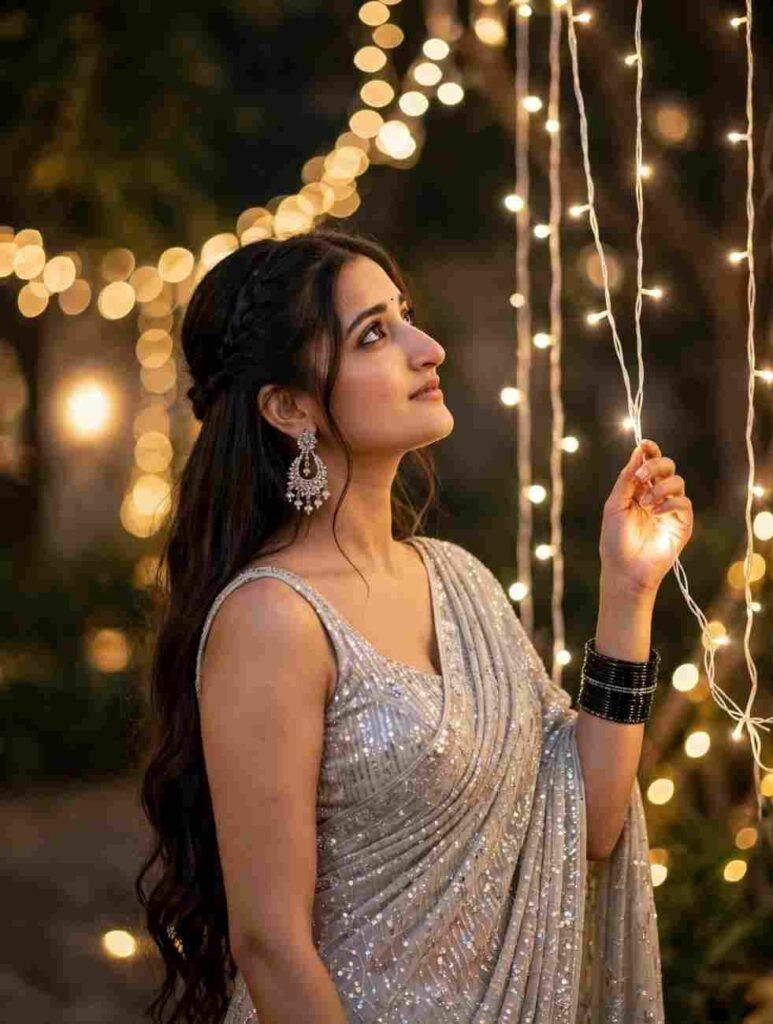
Create a photorealistic festive portrait of a beautiful young Indian woman wearing an elegant silver saree, standing among glowing golden fairy lights. She gently holds a light strand while gazing upwards with a serene expression. Style her long dark hair in a half-up braided hairstyle, accessorized with elegant chandelier earrings and black bangles. Add dreamy golden bokeh, warm cinematic lighting, and a magical festive atmosphere. Professional DSLR photography, realistic details, soft depth of field, ultra-detailed.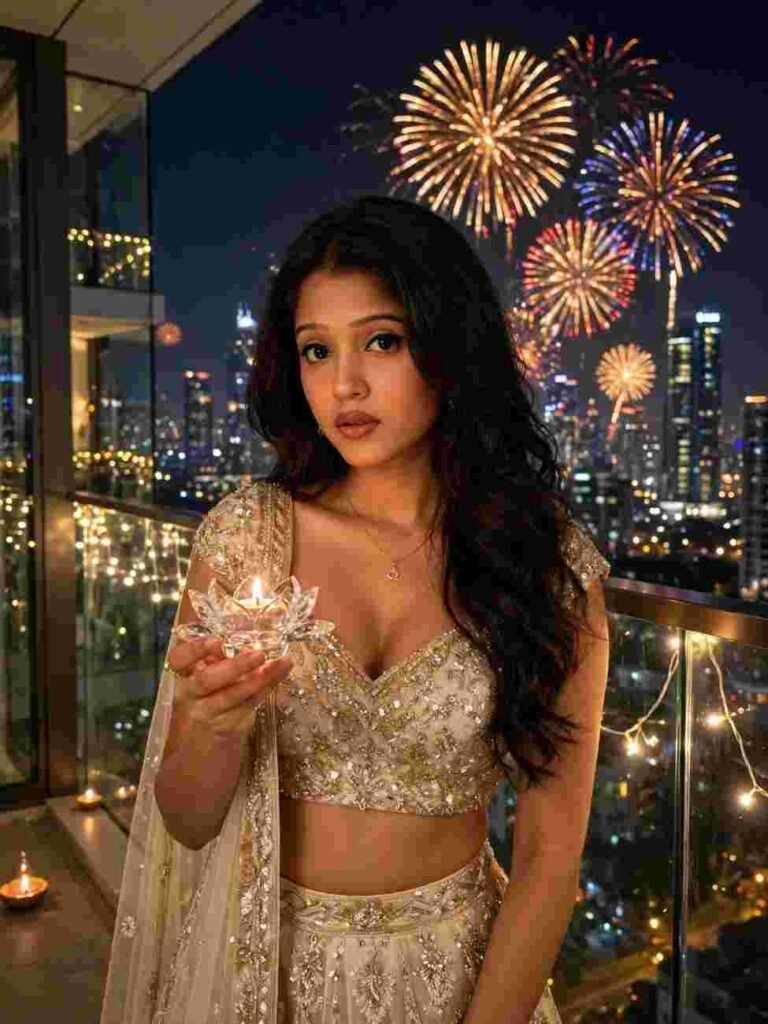
Create a glamorous, photorealistic 3:4 festive portrait of a beautiful 22-year-old Indian girl standing on a luxury high-rise glass balcony during Diwali night. She wears a champagne-gold and ivory sequin lehenga with delicate crystal embroidery. Warm golden fairy lights decorate the balcony, while a glowing city skyline and colorful fireworks illuminate the background. She gently holds a crystal lotus diya with a glowing flame. Elegant modern festive styling, dreamy bokeh, cinematic lighting, luxurious atmosphere, 85mm DSLR fashion photography, ultra-detailed, professional quality.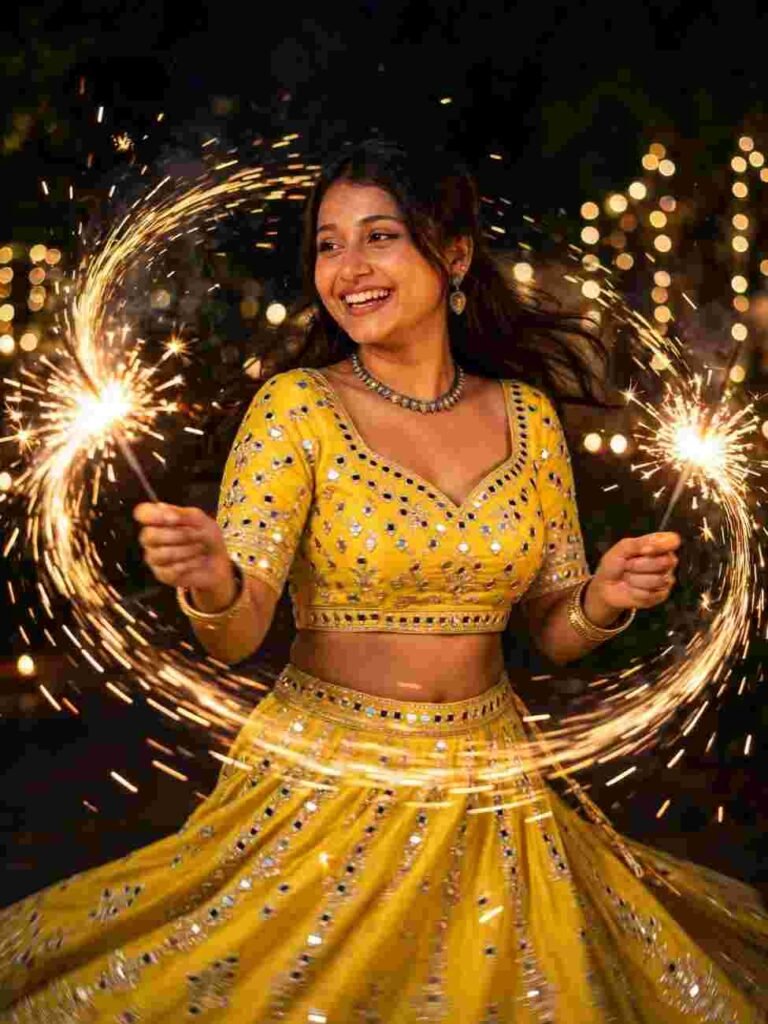
Create a dynamic, photorealistic 3:4 festive night portrait of a joyful 21-year-old Indian girl celebrating Diwali. She wears a bright sunshine-yellow silk lehenga choli with mirror work and silver embroidery, spinning gracefully while holding two glowing golden phuljhadis. Add sparkling fire trails, warm fireworks, a dark festive sky, and dreamy golden fairy-light bokeh. Razor-sharp facial details, natural joyful expression, realistic motion blur in the sparks, cinematic warm lighting, 50mm DSLR photography, f/1.4, ultra-detailed, professional quality.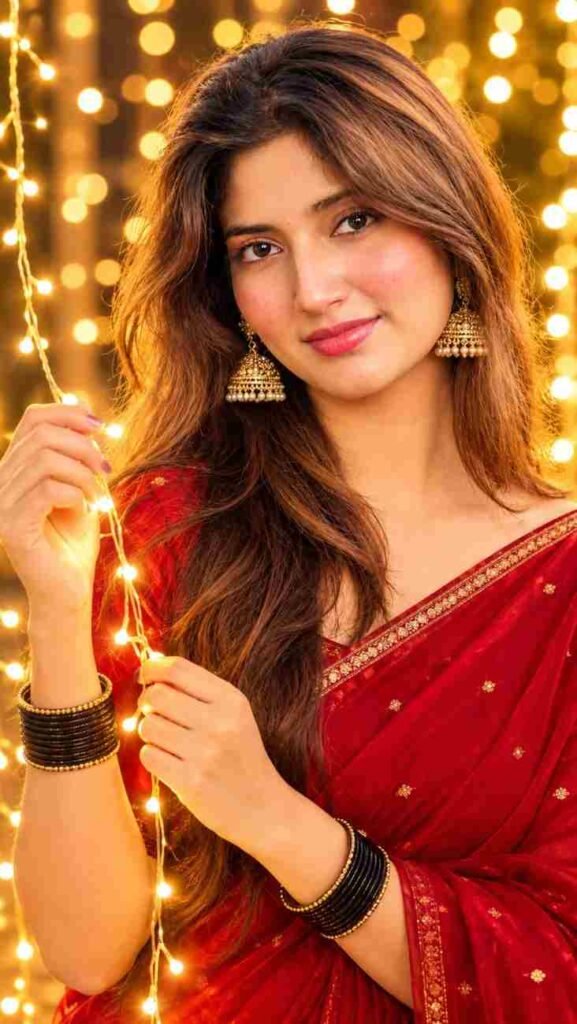
Transform the uploaded photo into an ultra-realistic festive portrait, preserving the exact face, skin tone, and natural features. Dress the subject in a deep red saree with a thin golden border, gold jhumka earrings, black bangles, and long wavy hair. Pose gracefully holding glowing fairy lights with both hands. Background filled with warm golden fairy lights, dreamy bokeh, and amber-orange lighting. Cinematic red-and-gold tones, soft rim lighting, realistic skin texture, sharp facial details, professional DSLR photography, luxurious festive atmosphere, vertical 9:16. No facial changes or beauty filters.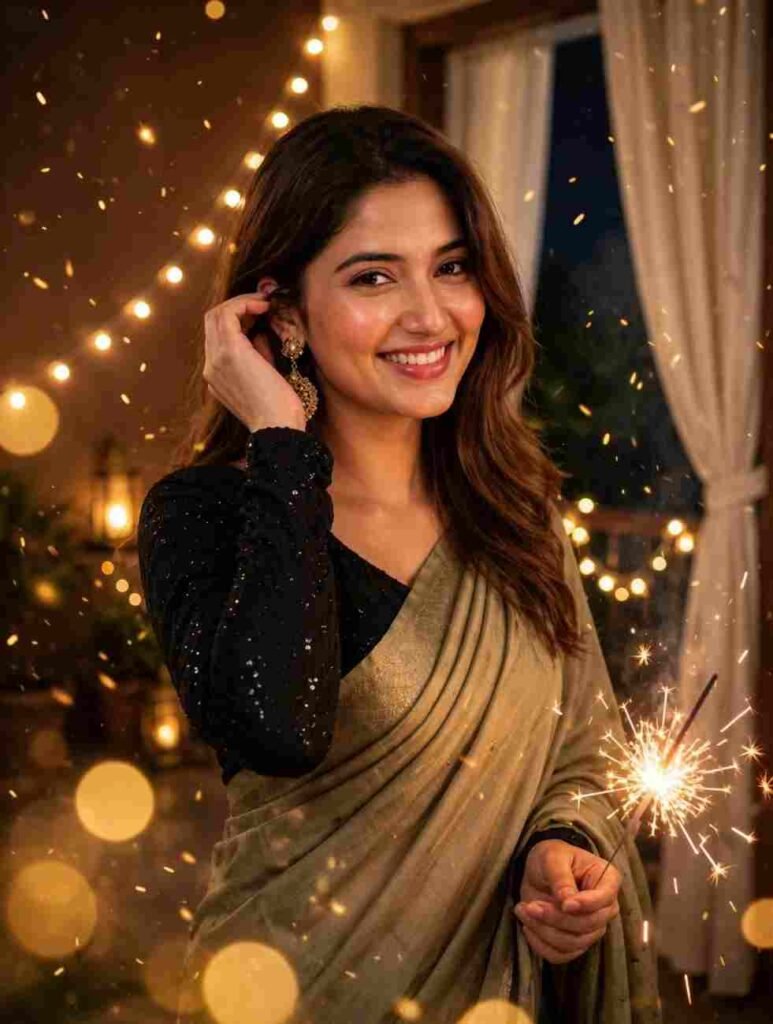
Transform the uploaded photo into a realistic cinematic Diwali portrait. Preserve the exact face, skin tone, hairstyle, and body proportions. Dress the subject in an olive-beige saree with a black sequin full-sleeved blouse. One hand touches the hair while the other holds a glowing sparkler. Add a warm indoor balcony background with golden fairy lights, floating embers, and dreamy golden bokeh. Rich amber lighting, cinematic shadows, DSLR photography, realistic details, shallow depth of field, vertical 9:16. No face changes, beauty filters, or artificial features.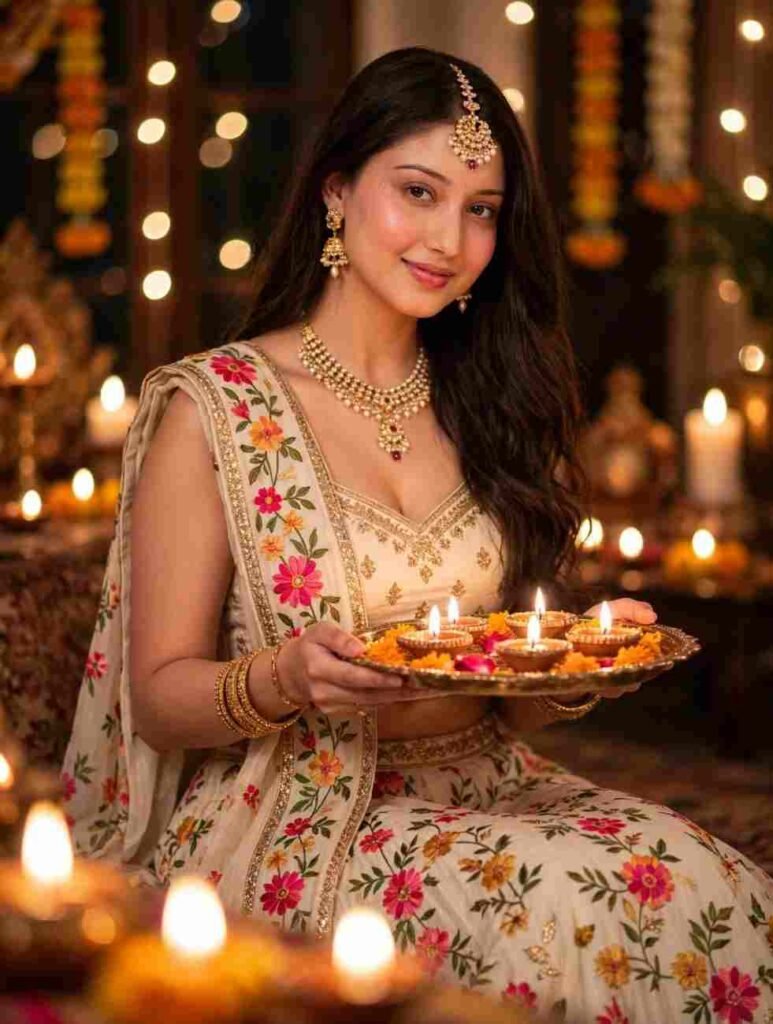
Generate a photorealistic portrait of the girl from the reference image, preserving her face and facial features exactly (100% identity match). She wears a stylish sleeveless blouse and a cream floral lehenga with a chunri, holding a decorated brass thali with glowing diyas. Her head is slightly tilted, with a gentle smile and expressive eyes looking at the camera. Style her long wavy hair to one side with a maang tikka, traditional earrings, necklace, and golden bangles. Create a warm Diwali background with glowing fairy lights, candles, and soft diya bokeh. Cinematic composition, soft golden lighting, ultra-detailed, professional photography. Do not alter her face.Diwali Photo Prompts for Couples
I have given all the prompts for couples right here. Take a clear picture of both of you taken together. Then copy the favorite prompt and use it.
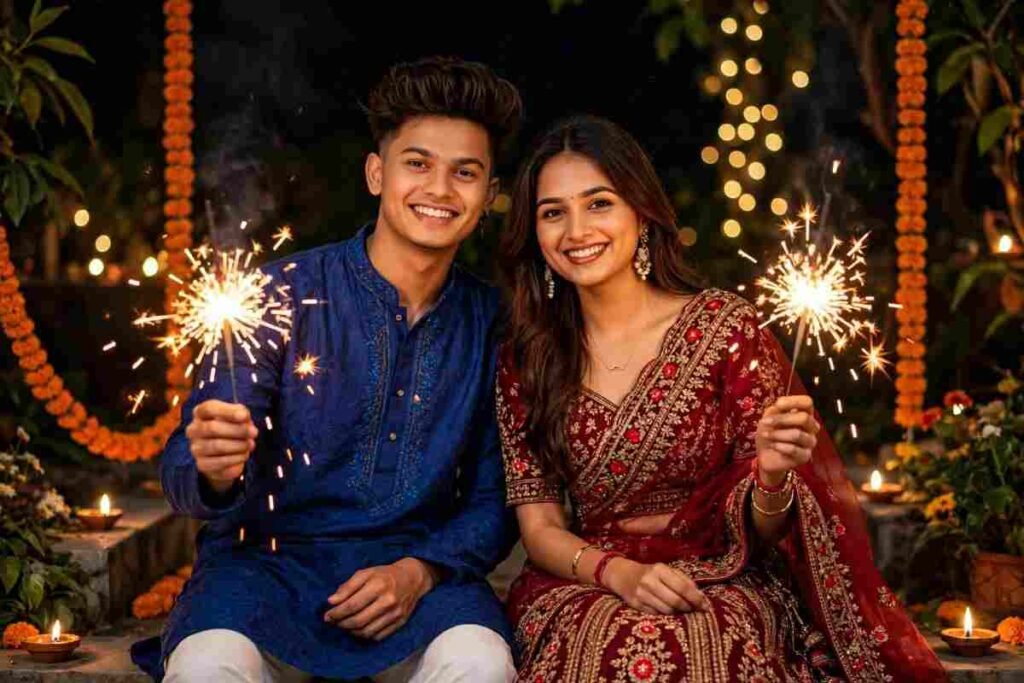
Create a beautiful, ultra-realistic cinematic portrait of a smiling young Indian couple celebrating Diwali together, holding glowing sparklers in a beautifully decorated outdoor garden at night. The woman wears a heavily embroidered deep-red lehenga, while the man wears a royal-blue textured kurta with white pajamas. Add sparkling lights, glowing bokeh, warm festive illumination, and a dreamy nighttime atmosphere. Professional DSLR photography, realistic details, and vibrant festive colors.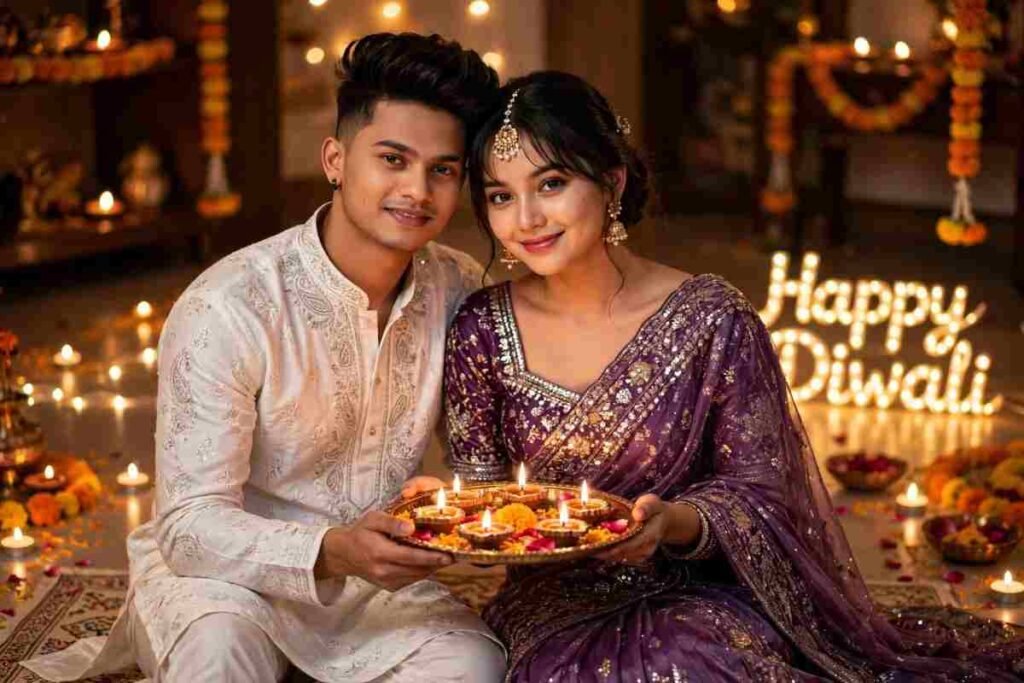
Create a photorealistic Diwali couple portrait. The woman wears a beautiful shimmering purple saree with intricate sequin embroidery, a heavily embroidered square-neck blouse, gold earrings, and a maang tikka. Her hair is styled in a loose wavy bun with soft bangs. She sits gracefully, holding a decorated brass thali filled with glowing diyas, with a gentle smile and expressive eyes looking at the camera. Her partner stands beside her in elegant traditional festive attire. Decorate the setting with golden fairy lights, candles, and glowing “HAPPY DIWALI” lettering on the floor. Warm cinematic lighting, dreamy bokeh, luxurious festive atmosphere, ultra-realistic DSLR photography.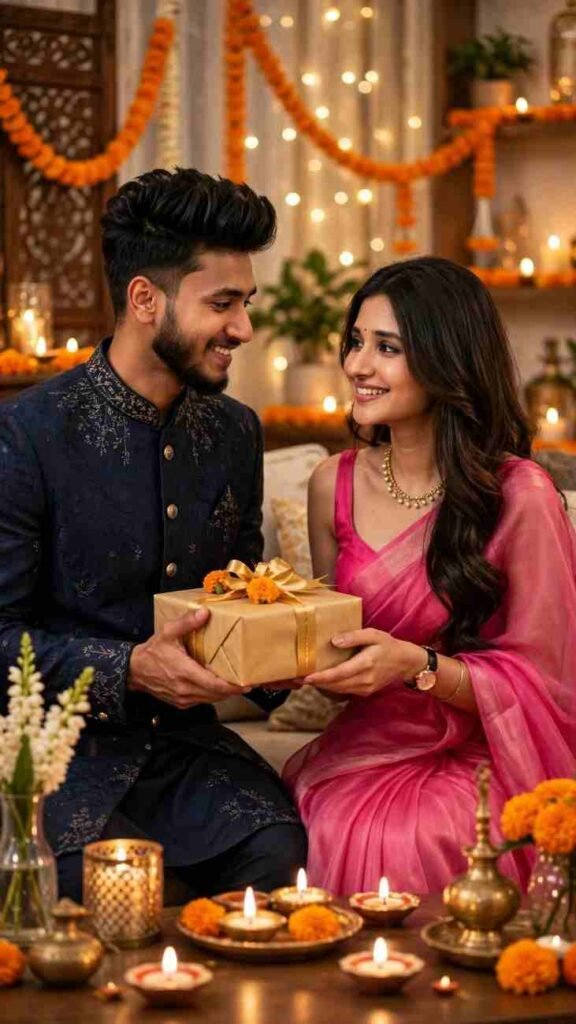
Create an ultra-realistic 8K vertical 9:16 portrait of a young couple, preserving both faces exactly as in the reference photos. Set them in a beautifully decorated living room with candles, golden fairy lights, and marigold flowers. The man wears a navy-blue sherwani and hands a wrapped Diwali gift to the woman, who smiles warmly in an elegant pink saree with a necklace, watch, and bracelet. Warm ambient lighting, cinematic depth of field, natural expressions, luxurious festive atmosphere, professional lifestyle photography. No facial alterations.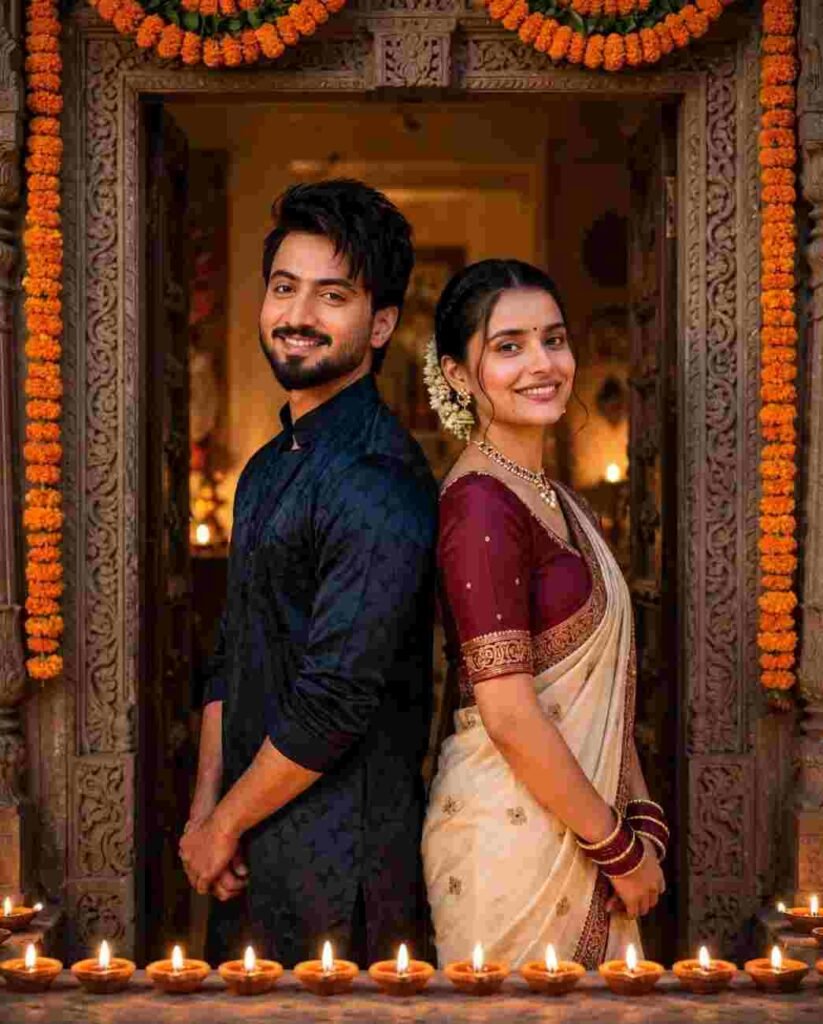
Combine Person A and Person B from the two reference photos into a photorealistic Diwali couple portrait. Preserve both faces, identities, skin tones, and hairstyles exactly. Pose them back-to-back with shoulders gently touching, both smiling at the camera. Dress them in elegant, modest festive Indian outfits. Set them beside a beautifully carved doorway decorated with marigold garlands, warm glowing lights, and clay diyas arranged at their feet. Cinematic golden lighting, realistic details, festive atmosphere, professional DSLR photography. No extra people, text, or facial alterations.Diwali Photo Prompts for Families and Kids
I have given all the prompts for family pictures and kids pictures here. These will also be useful for pictures of elderly people. Copy your favorite prompt.
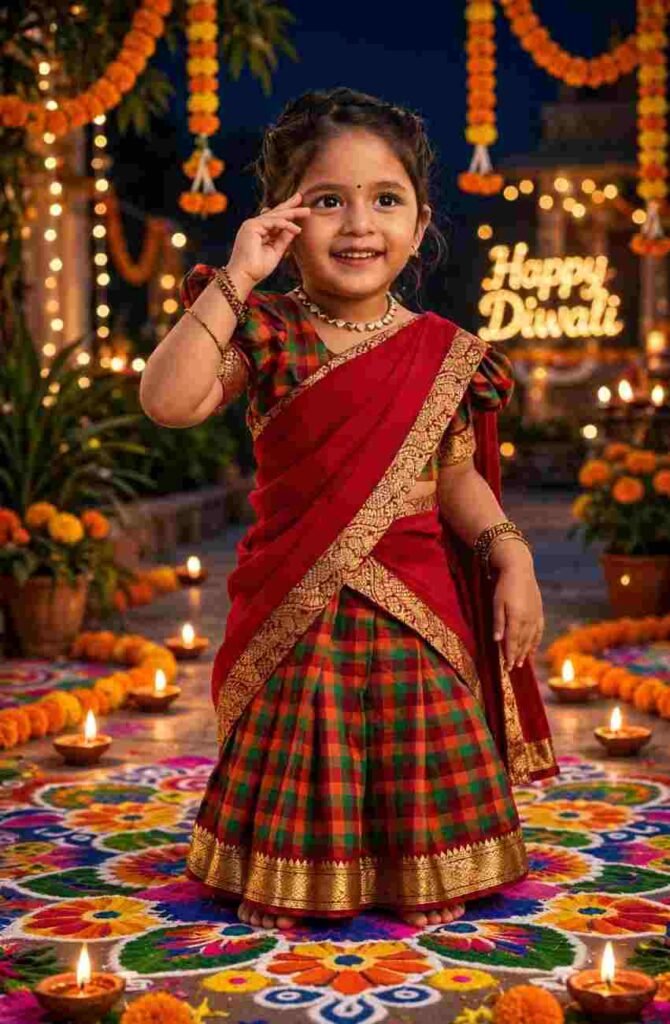
Ultra-realistic 8K vertical portrait of the little girl from the reference photo, 100% identical face, smile and hairstyle preserved, cute 4-year-old Indian girl wearing a traditional red pattu pavada saree with green-orange checkered skirt and gold zari border, matching checkered puff-sleeve blouse, gold necklace and bangles. She is standing on a colorful rangoli in the same cute pose with one hand near the eye. Magical Diwali night setting with glowing diyas, marigold garlands hanging, fairy lights, blurred Happy Diwali light text in background, colorful rangoli floor, warm cinematic lighting, sharp facial details, photorealistic, innocent festive look
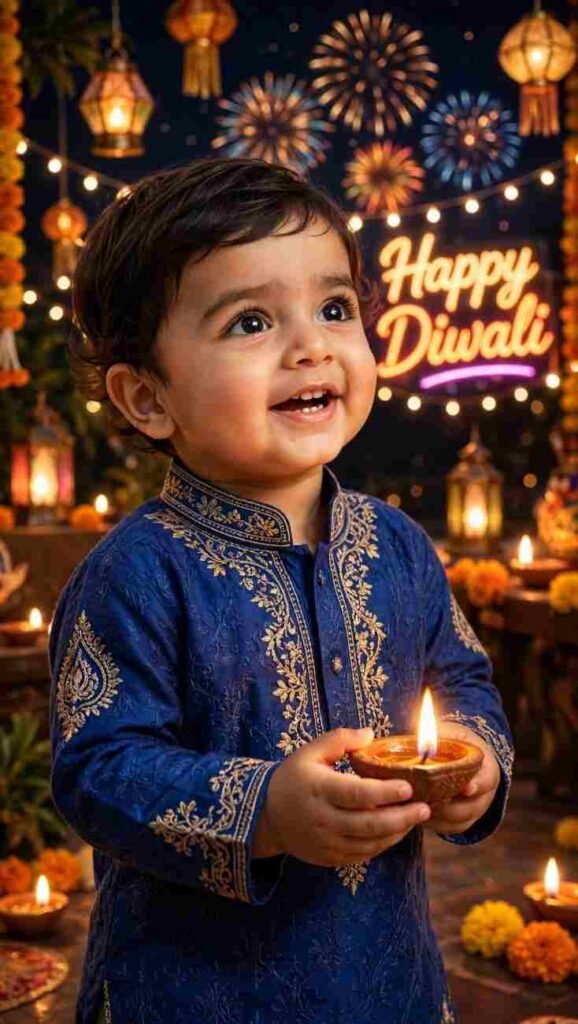
Create a cinematic, photorealistic portrait of a smiling South Asian toddler boy wearing a royal-blue embroidered kurta set and holding a glowing diya. Add a beautiful Diwali background with colorful fireworks, sparkling fairy lights, glowing lanterns, and illuminated “Happy Diwali” neon text. Warm golden lighting, magical festive atmosphere, ultra-realistic details, 8K quality, vertical 3:5 composition.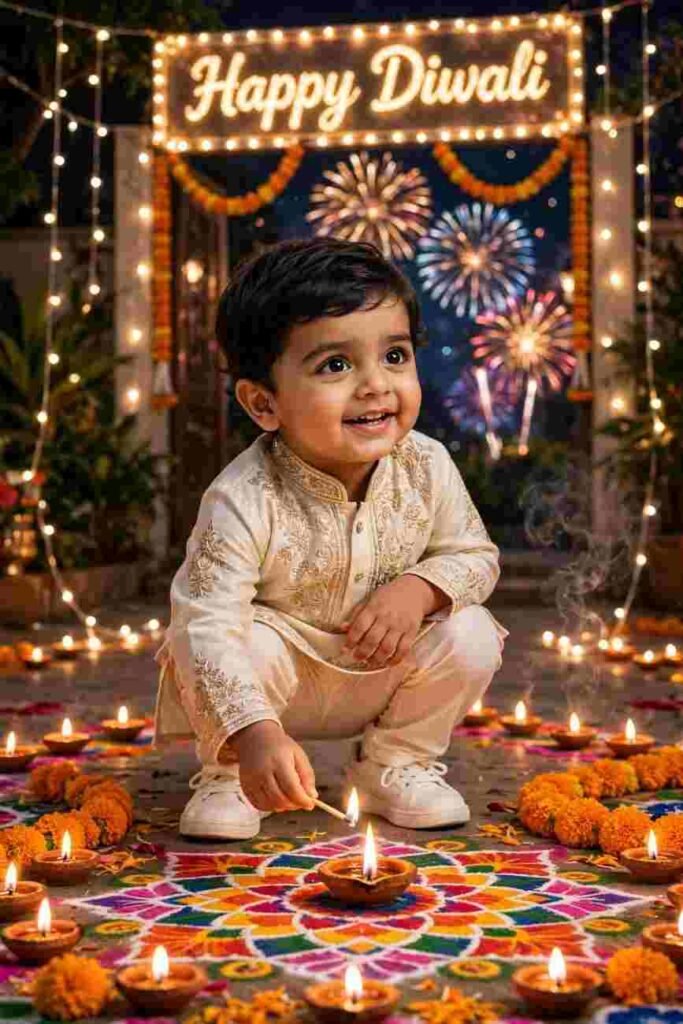
Create an ultra-realistic 8K vertical 2:3 portrait of an adorable 6-year-old Indian boy with fluffy black hair, wearing a premium ivory embroidered kurta pajama and white sneakers. Show him in a stylish squatting pose while lighting a diya. Surround him with colorful rangoli, glowing diyas, marigold decorations, sparkling fairy lights, and festive fireworks. Add a beautiful glowing “Happy Diwali” sign. Magical festive atmosphere, cinematic warm lighting, sharp facial details, professional photography.Which Apps Can You Use for Diwali AI Photo Editing?
There are many apps now to edit photos with AI. So many people think, which one should I use. Below I have given some methods. They are Google Gemini, ChatGPT, Meta AI, Canva, and Picsart. Choose whichever one feels easy to you. The process is almost the same in every app. First, you have to install the app. Then you have to log in. After that, upload the photo and paste the prompt. In my opinion, ChatGPT and Gemini give good results. But the result also depends on the photo and the prompt.
How to Edit Your Diwali Photo in Google Gemini, Step by Step
I have given the steps to edit photos with Gemini below.
- Install the Google Gemini app on your phone.
- Open the app and log in with your Google account.
- Click on the plus option beside the chat box.
- Upload your picture.
- Copy and paste your favorite from the prompts we gave.
- Send.
- The picture will be made within one to two minutes. The name of the menu in your version may be a bit different.
How to Edit Your Diwali Photo in ChatGPT, Step by Step
The process is the same in ChatGPT too. Install the app. Then log in. Click on the plus option beside the chat box and upload the picture. After that, paste our given prompt and send it. You will get the picture within one to two minutes. If the picture is not to your liking, write again in that same chat. For example, make the back light a little brighter. Then AI will change it taking the old picture. Remember, there may be a limit on how many pictures can be made in a free account. That changes with time.
How to Edit Your Diwali Photo in Meta AI, Step by Step
The same rule applies for Meta AI. Open Meta AI wherever you get it. Depending on the phone environment, it can be a separate app or inside another app. Then log in. Click on the plus or attachment option and upload the picture. After that, copy our prompt, paste it, and send. The picture will be made in some time. The features may not be the same in all countries or all phones. Do not be surprised if the menu name in your app is a bit different.
How to Edit Your Diwali Photo in Canva, Step by Step
Work can be done in the same way in Canva too. Install the app and log in. After that, upload the picture. There is a feature in Canva to make or change pictures with AI. But the name and place of that option can be different in your version. Find the AI option and paste our prompt. When the picture is made, you can use another feature of Canva. It is easy to make Diwali posts by adding text, frames, or greeting messages there. At that time, check the license rules of Canva once.
How to Edit Your Diwali Photo in Picsart, Step by Step
Picsart also has AI. But in my opinion, AI of Picsart does not work as well as the apps above. So it is better to use ChatGPT and Gemini. But if you want to change the Diwali background, it can be done with Picsart. There is a video of this on our YouTube channel. [Put the video link] I am also telling the rule below.
- Choose a Diwali background in the Picsart app.
- Upload your picture from the add photo option.
- Click on the remove bg option. The back part of the picture will be erased.
- Now place your picture matching with the background.
Why Does My Face Look Different After AI Editing, and How to Fix It?
The main reason for the face changing is only one. You did not upload a good picture. If AI cannot understand your face properly, it makes it by guessing. Then the picture does not look like you. The solution is easy. Give a clear picture, taken from the front, in good light. Avoid pictures with filters. Even if the face does not match, try again. Or try giving another picture. The picture to your liking may not come in the very first try. If you try two or three times, the result is good.
Common Mistakes to Avoid While Editing Diwali Photos with AI
Beginners make these mistakes more.
- Uploading blurry or dark pictures.
- Copying not a full part of the prompt and pasting half.
- Giving pictures of many people in one person prompt. Use separate prompts for couples or families.
- Editing someone else picture without their permission. Use your own or permitted pictures.
- Not checking permission before putting songs in reels. Do not use songs or footage that have copyright without permission.
- Expecting results in the very first time. If needed, change the prompt a bit and try again.
Conclusion
In one word, making pictures with Diwali AI Photo Editing Prompt is very easy now. Earlier it used to take hours and hours. Now work is done with a good picture and a prompt. In this writing, I have given prompts for boys, girls, couples, family, and kids in one place, so that you do not have to search anymore. Now copy your favorite prompt. Choose a clear picture. Open ChatGPT or Gemini and try today.